

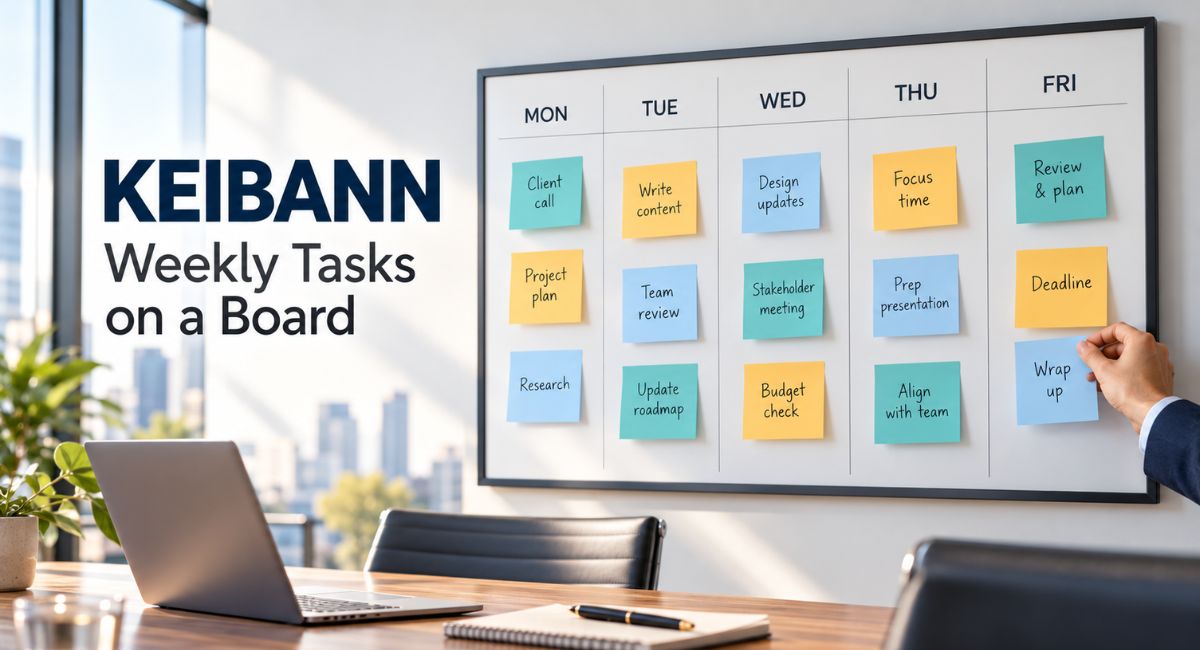
Monday begins with a few clear plans. By Wednesday, messages, small requests, and unfinished jobs can make the week feel crowded. You may be busy without knowing which important tasks are moving forward. If your search for Keibann brought you to visual task planning, a weekly board offers a practical place to start. It puts work where you can see it, gives each job a clear status, and helps you decide what deserves attention next. The real value comes from using it regularly and keeping the plan realistic.
What Does Keibann Mean in This Guide?
Online articles use this name in different ways, including discussions about visual task planning. That usage alone does not confirm a particular app or a separate planning method. This guide focuses on the practical board approach described in those discussions. Its advice draws on visual planning ideas, with a clear connection to Kanban. You can use these ideas without buying a special product or accepting claims about an official system behind the name.
The Kanban Guide describes an approach that involves defining and showing a workflow, managing work as it moves, and improving the process. A basic weekly task board can borrow some of these ideas without becoming a full Kanban system. For example, you could begin with three columns called To Do, Doing, and Done. Each card represents one task. Moving the card changes its visible status, so the board reflects what is actually happening.
See Your Weekly Work in One Place
A board gives each task a visible place. You can see which jobs are waiting, which have started, and which are complete. This matters when responsibilities arrive through several channels. An email may contain a client request, while a notebook holds a personal reminder. Bringing those tasks together makes it easier to check the whole week before making another promise. You can still keep detailed files elsewhere and put only the next action on the board.
Keep your Keibann board focused on work that needs attention this week. Store future ideas in a separate space so they do not crowd the current plan. For instance, booking a repair visit this Thursday belongs on the weekly board. Replacing the kitchen next year probably belongs in a future projects note. This small choice keeps the board useful when you need a quick answer about what to do today.
Plan a Week That Fits Your Available Time
Before adding tasks, look at the time you actually have. Meetings, travel, appointments, and regular duties already take part of the week. A board cannot create extra hours, but it can help you notice when your plans do not fit. Write a rough time estimate on larger cards. The estimate does not need to be perfect. Its purpose is to help you compare the work you want to finish with the hours available.
Suppose you have eight free working hours after fixed commitments, but your chosen tasks need about twelve. A Keibann weekly plan should make that gap visible before the week becomes difficult. You could move a lower priority job, reduce its scope, or discuss a deadline. Leave some space for unexpected requests as well. A plan that fills every available minute gives you very little room when an ordinary task takes longer than expected.
Make Important Tasks Easier to Choose
A busy board needs a clear way to show what matters most. You might place the most important cards at the top of the To Do column. When choosing them, consider deadlines, consequences, and whether another person is waiting. A small task that allows a colleague to continue may deserve attention before a larger job with no close deadline. The order should reflect the needs of the week rather than the order in which requests arrived.
Use a simple label when a task truly needs special attention. For example, a card marked Due Thursday tells you something useful. Marking every card Urgent removes that value. You can also ask what would happen if a task waited until next week. This question helps separate a real commitment from a task that merely feels pressing. Review the order when circumstances change, especially when a new request affects an existing promise.
Keep Fewer Tasks in Progress
Starting several jobs can make the Doing column grow while the Done column stays empty. One useful Kanban practice is controlling work in progress, meaning work that has started but has not finished. This encourages attention to existing tasks before more work begins. On a personal board, you can try a small limit that fits your situation. The right limit depends on the work, so treat your first choice as something to review.
For a personal Keibann board, you might begin by allowing two started tasks at a time. If both are waiting for replies, record that clearly and decide how to handle the wait. Waiting work still counts as unfinished work. Moving it to a separate column should not hide it from your total. The purpose of the limit is to reveal what you have already taken on and prompt a useful decision about finishing it.
Turn Large Jobs Into Clear Next Steps
A card called Update the Website may be too broad to guide your next action. You could spend several days on it without knowing whether it is nearly finished. Break that job into smaller pieces with clear results. A card might cover checking the contact page, writing a new service description, or testing a form. Each piece should be useful and clear enough that you understand what finishing it means.
Avoid creating so many tiny cards that maintaining the board becomes another large job. Choose a size that helps you make decisions. A task such as Write the First Draft may work well for a short article. A larger report might need separate research and writing cards. Add a brief finish condition when needed. For example, a form test is complete when a test message reaches the correct inbox and you have checked the response.
Notice Waiting Tasks Before They Cause Delays
Some work slows down because it depends on information, approval, or another person. A board makes these waits easier to notice if you record them properly. Add a short note explaining what is missing, who can help, and when you will check again. For example, Waiting for Product Photos, Follow Up Wednesday is more useful than a card that simply remains untouched. It shows the reason for the delay and the next action.
A useful Keibann habit is to look at waiting cards during your daily check. Ask whether the delay threatens a deadline or affects another task. You may need to request an answer sooner, change the order of work, or agree on a smaller delivery. Keep the original start date visible when possible. Otherwise, moving a delayed card between columns can make old work appear new and hide how long it has been waiting.
Choose Between a Paper and Digital Board
A paper board can work well when you usually plan in one place. You need only a suitable surface and movable notes. Keep the writing large enough to read comfortably, and place the board where you will actually use it. Check that notes stay attached and that private information is not visible to visitors. If you move between locations, decide how you will check your plan when you are away from the board.
For your Keibann weekly plan, choose a digital board if access from different places or shared updates would be useful. Before committing to a tool, check its current features, cost, and privacy settings. Begin with basic cards and columns. Extra labels, reminders, and automation should solve a clear problem before you add them. Whichever format you choose, keep one main version of the weekly plan so that you do not have to update two boards.
A Simple Example of a Working Week
Imagine a freelance writer who needs to draft an article, revise another piece, and send an invoice. On Monday, the writer checks existing appointments and adds separate cards for the work. The draft requires two focused sessions, while the revision needs feedback from a client. The writer starts the draft and sends a feedback request. The revision stays visible with a note about the missing reply, rather than being treated as ready to finish.
In this Keibann example, the writer checks the board each morning and changes it as work moves. On Tuesday, the invoice is sent and marked complete. On Wednesday, the client asks for an additional revision. The writer compares that request with the remaining time and moves a flexible research task to next week. By Friday, the board shows completed work, the new agreement, and any unfinished cards that still need a decision.
Share a Board With Clear Ownership
When several people use a board, every task needs a clear owner. This does not mean that one person must do all the work. It means someone is responsible for keeping its status accurate and raising questions. A useful card shows who is handling it, what result is expected, and when another person needs it. These details make it easier to understand a handover without searching through a long message thread.
Agree on when cards move and what Done means. For an article, Done might mean published after approval rather than simply written. A board can support a short discussion about decisions and delays, but it should not become a contest over who completes the most cards. Tasks differ in size and difficulty. Use the shared view to coordinate work, offer help, and discuss changes before someone relies on an outdated plan.
Review the Week and Improve the Next One
At the end of the week, look beyond the number of completed cards. Ask which tasks took longer than expected, where waiting occurred, and whether your priorities stayed clear. Compare your rough estimates with what happened. If several jobs remain unfinished, decide why before moving them forward. Some may need a smaller next step. Others may no longer matter enough to keep. Carrying everything into next week can repeat the same planning problem.
The best Keibann routine for you is one you can maintain without much effort. Choose one small improvement after your review. You might shorten task names, reduce the amount of started work, or remove an unused label. Keep unfinished cards and their history when they still represent real commitments. You can archive completed work after reviewing it, leaving the active board clear while keeping a record that may help with future estimates.
Conclusion
Keibann can be a starting point for exploring visual weekly planning, while the practical ideas here draw on established task board practices. A useful board shows your commitments, makes unfinished work visible, and helps you adjust plans when circumstances change. Start with clear columns, manageable tasks, and an honest view of your available time. Check the board briefly each day and review it at the end of the week. Let what happens during the week guide your next improvement.
(FAQ’s)
1. Is Keibann the Same as Kanban?
The names should not be treated as interchangeable. Kanban is a documented method; the other term is used inconsistently online.
2. How Many Columns Should a Weekly Board Have?
Three columns are a useful starting point. Add another only when it helps explain your work.
3. Do I Need a Paid App to Start?
No. You can begin with paper, movable notes, and a suitable surface.
4. How Often Should I Update My Task Board?
Update it when work changes, and give it a brief daily check.
5. What Should I Do With Unfinished Weekly Tasks?
Review their importance, size, and delays before deciding whether to carry them into the next week.
Visit for more additional information: Zellow Magazine